
Every few months someone asks the same question in an SEO group. “I got 40 backlinks last month. Is that too many?” The answers are always a mess. One person says you’ll get penalized. Another says they built 200 in a week and ranked fine.
Both are telling the truth about their own site. That’s the problem. Link velocity is one of those topics where a single number means nothing, and the useful part is knowing what to compare it against.
Here’s how I’d think about link velocity, what actually matters about it, and how to plan a pace you won’t regret.
What link velocity actually means
Link velocity is the speed at which a site or a page gains backlinks over time. Usually it’s measured as new referring domains per month, sometimes per week. Some people also track the other side of it: links that disappear. Gains minus losses gives you net velocity, which is what really shapes your profile.
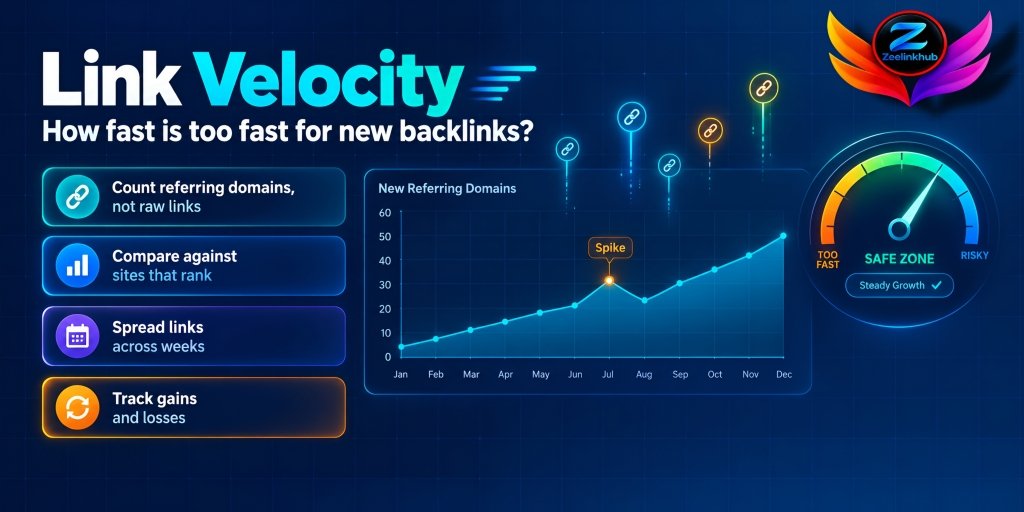
Two small points that people skip. First, count referring domains, not raw links. Fifty links from one sitewide footer is one new source, not fifty. Second, velocity can be tracked for the whole site or for a single URL. A single page that jumps from two referring domains to twenty in a week looks different from a site that adds twenty across all its pages.
Is link velocity a ranking factor?
Honestly, nobody outside Google can say for sure. Google has never published a rule called “link velocity,” and it has never said there’s a number you shouldn’t cross.
What we do know is that Google’s systems look for unnatural patterns, and it’s reasonable to think growth over time is one of the things they can see. A site that never had links and suddenly gets hundreds from similar pages in the same week looks different from a site that earns links steadily. That’s an observation, not a confirmed rule.
So the practical approach is simple. Don’t try to game a velocity number. Try to make your link growth look like what happens when real people find your pages and link to them.
What natural link growth looks like
If you chart referring domains by month for a handful of healthy sites, a few shapes show up again and again.
An established site with decent content usually grows in a slow, uneven line. Some months bring three new domains, others bring eleven, and the odd month brings none. It’s bumpy because real links come from real events.
A new site starts flat. For the first few months you might see almost nothing, then a small step when the first articles get found.
And then there are spikes. A good study, a press mention, a tool launch or a viral post can bring dozens of links in days. These spikes are normal, and they usually come with a pattern that explains them: many different sites, many different anchors, a clear reason, and a tail of smaller links afterward.
The shape matters more than the size. A spike that has a visible cause is a very different thing from a spike that has none.

Why speed is relative
This is where most advice goes wrong. Twenty new links in a month means one thing for a site with 5,000 referring domains and something else for a site with 15.
A bigger site can absorb more without changing its profile in any meaningful way. A tiny site that jumps from 15 to 35 has more than doubled its link count in thirty days. If every one of those links is a guest post with a similar anchor, that’s an obvious pattern, even though 20 is a small number in absolute terms.
So instead of asking “how many per month is safe,” ask “how does this compare with sites like mine that rank?”
How to find a realistic pace
Here’s a method that’s more useful than any rule of thumb.
Pick three competitors that rank where you want to be. In Ahrefs or Semrush, look at their referring domains over the past twelve months and note how many they gained each month. You’re not copying them. You’re getting a range of what’s normal in your niche, at your size.
Then check how fast they grew relative to their starting point, not just in raw numbers. If a competitor with 80 referring domains added six per month for a year, that’s a growth pattern you can reasonably aim for. If the strongest one added thirty, it may have had a content engine or PR behind it that you don’t.
Use that range as your ceiling for the first few months. You can speed up once you see how your pages respond. If you haven’t yet done it, our guide to a link gap analysis shows how to find which domains those competitors have and you don’t. And if you’re wondering about the total, how many backlinks you need to rank helps set the target.

How to track link velocity in practice
You don’t need a special tool. A spreadsheet and ten minutes at the start of each month is enough.
Export your referring domains from Ahrefs or Semrush, with the first-seen date for each one. Count how many were first seen in each of the last twelve months, then do the same for lost domains. Put the two numbers side by side and add a column for net change. That one sheet answers most of the questions people ask in forums.
Then add a second view for your five most important pages. Which ones are gaining links, and which are standing still? If a page you care about hasn’t picked up a single new domain in six months, that tells you more than the site-wide total ever will.
Google Search Console is a useful cross-check. Its links report won’t show dates, but if you compare it with your sheet every few months, you’ll see whether the tools are missing anything big.
Keep the sheet. After a year, it becomes a record of what each campaign actually did to your profile.
How to spread links so they look natural
Pace is only one part. A few habits make the same number of links look much more ordinary.
Spread placements across weeks instead of landing them in one batch. If you have ten links to place, it’s fine to take two months over it.
Mix the types. A healthy profile has editorial links, a few directory or profile mentions, some links from resource pages and some from content you wrote for other sites. Ten links of one type looks like a campaign.
Vary the anchors. If every new link uses a commercial phrase, you’ve created a pattern far more visible than the speed. Our article on anchor text distribution covers how to keep the mix believable.
Don’t point everything at one page. Spread the links across the pages that deserve them, including your homepage and a few supporting pages.
And leave gaps. A month with no new links is not a failure. Real profiles have quiet months.

New sites versus established sites
A brand new site has the most to lose from going too fast, simply because it has no history to hide behind. If your site is three months old and you add thirty links in a week, there’s nothing in the profile to explain it. Starting slowly, and letting the first links come from content that earns them, builds a base the later links can sit on.
An established site has more room. Its history makes a burst of links easier to absorb, especially if it comes with a launch or a piece of content that gives people a reason to link.
Don’t forget the links you lose
Velocity isn’t only about what comes in. Links disappear all the time, because pages get deleted, sites get redesigned, and editors tidy up. If you gain ten and lose eight, your net growth is two, and that’s what your profile really looks like.
Check lost links alongside new ones every month. Recovering a few is often cheaper than building new ones, and the process is covered in our guide to link reclamation.
Finance and SaaS: let the calendar explain your spikes
Both niches have natural moments where links arrive in bunches. In finance, tax season, rate changes and year-end planning content all attract links at predictable times. In SaaS, product launches, integrations, funding announcements and annual reports do the same.
If you plan your link building around those moments, spikes have a reason. A burst of links in the week of a launch looks like a launch. The same burst on a random Tuesday in July looks like something else.
Mistakes worth avoiding
Ordering a big batch of links all at once for a young site. Chasing a monthly quota as if a number guaranteed anything. Counting links instead of referring domains. Ignoring lost links, so your growth looks better than it is. Pushing every link to the same page. And panicking after a single spike without checking whether it had an obvious cause.
That last one is worth repeating. Not every spike is a problem. Open the new referring domains, check what they are, and see whether the pattern makes sense before you assume the worst.
Final thoughts
Link velocity doesn’t have a safe number, and anyone who gives you one is guessing. What you can do is compare yourself against sites that rank, spread your links over time, mix the types and anchors, and keep an eye on both gains and losses.
If you’re also thinking about how links affect visibility in AI answers, do backlinks matter for AI search is a useful next read.





Leave a Reply