
A site owner opens their backlink tool one morning and sees a red number. “Toxicity score: 38%.” Underneath, a list of 600 links from sites with names like cheap-pills-forum and best-casino-reviews. Panic follows. Within an hour they’ve exported a disavow file, and within a day they’ve disavowed half the internet.
I’ve watched this happen more than once. Most of the time, the traffic drop that started the panic had nothing to do with those links. And the disavow file? It often removed a few good links along with the junk.
Toxic backlinks are real. They’re also far less common, and far less dangerous, than the scary dashboards suggest. Here’s how I’d sort the real problems from the noise.
What are toxic backlinks, really?
A toxic backlink is a link from a page or site that could hurt your search performance. The word is borrowed from SEO tools, not from Google. You won’t find “toxic” in Google’s own documentation. What Google talks about is link spam: links created to manipulate rankings instead of earned because someone found your page useful.
So a toxic backlink is basically a spammy link pointing at you. Think of links from hacked sites, auto-generated pages, link networks built only to pass ranking value, or pages stuffed with unrelated outbound links.
Here’s the part that surprises people. The existence of those links is rarely the issue. Every site that’s been online for a while collects junk. Scrapers copy your content, bots drop links in comment sections, and old directories pull your details. Google knows this, and its systems are built to ignore most of it rather than punish you for it.
Why the toxicity score can mislead you
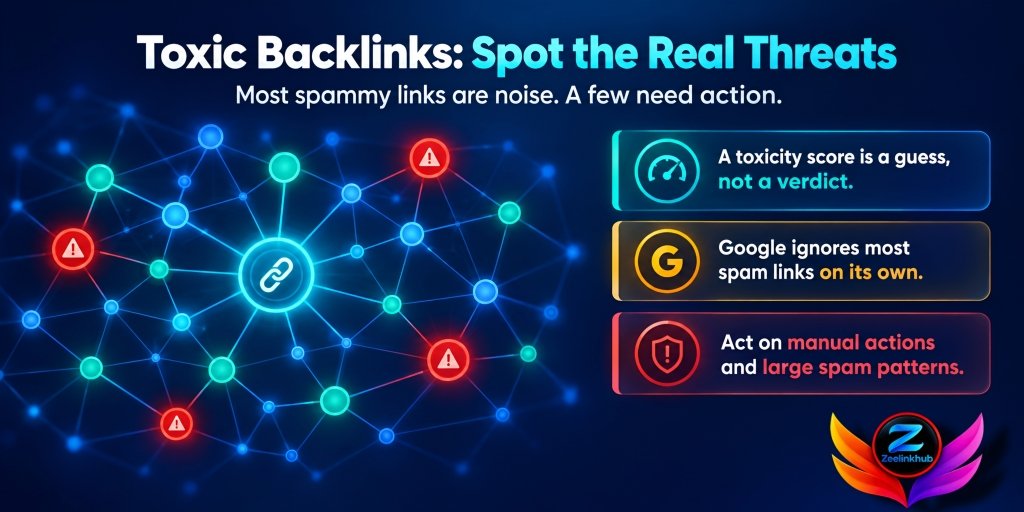
Tools like Semrush and others give each link a risk rating, and some roll them into one site-wide score. These are guesses based on patterns. A link might get flagged because the domain is new, has low traffic, sits on an odd TLD, or has lots of outbound links. None of those facts proves harm.
I’ve seen perfectly normal local blogs flagged as toxic and genuinely manipulative links marked as safe. The score is a place to begin, not a verdict.
Use it to decide what to look at first. Never use it to decide what to delete.
Do you need a toxic backlinks checker?
Most people searching for a toxic backlink checker want a button that scans their links and returns a clean list of bad ones. Those tools exist, and they’re a decent starting point. Just treat the output as a shortlist, because a checker can only match patterns. It can’t tell whether a link was placed by a hacker or by a small blog owner who simply liked your page.
A better approach is to use a checker to find candidates, then verify them by hand. Open the page, read the surrounding text and see whether the site looks real. Check the same link in Google Search Console too, since that’s the data Google itself gives you. If a link looks odd in the checker and fine on the page, leave it alone.
Our backlink audit guide walks through that manual check step by step, so you aren’t relying on a single score.
Signs a backlink might really be toxic
When I open a suspicious link, I’m not looking at a number. I’m looking at the page, and a few things matter more than the rest.
The link comes from a site that exists only to hold links. Dozens of unrelated categories, no real author, no visitors, and every post stuffed with outbound links to casino, pills or loan sites.
The page is in a language or on a topic that has nothing to do with yours. A Russian forum thread linking to a US invoicing tool is a strange fit, and that kind of mismatch shows up in bulk with spam runs.
The anchor text is junk. Adult terms, pharma terms, or exact-match commercial phrases repeated hundreds of times across different domains. Real writers don’t link that way.
The site looks hacked. Strange pages injected into an otherwise normal site, usually with links buried in hidden text or odd folders.
And the pattern is off. Hundreds of these links showing up within days, all with a similar look. That’s a campaign, not coincidence.
One of these alone means very little. Several together on the same link is when I start paying attention.

How to find toxic backlinks
Finding toxic backlinks doesn’t need anything fancy. You need your link data in one place and about an hour.
Start by exporting links from Google Search Console, and from Ahrefs or Semrush if you have either. Search Console is the one Google itself provides, so it’s the most reliable source even though it only shows a sample on bigger sites. The paid tools find links Search Console misses, so merge everything and remove duplicates. If you want the full process, our backlink audit guide walks through it step by step.
Next, sort the links into groups instead of reading row by row. Editorial links from real articles. Directories and profiles. Sitewide footer links. Obvious spam. You’ll usually find the spam group is smaller than you feared.
Then check the anchor text. Pull the report and look for anything strange: foreign-language terms, adult or pharma words, or one exact commercial phrase dominating the list. Our guide on anchor text distribution shows what a balanced mix looks like, which helps you spot what doesn’t belong.
After that, look at timing. Chart new referring domains by month. A slow, bumpy line is normal. A wall of links from similar sites in a single week deserves a closer look, and it’s the same thing we describe in our piece on link velocity.
Finally, open a sample of the worst offenders yourself. Ten minutes of actually visiting pages teaches you more than any score.
Links that look bad but are usually fine
A lot of so-called toxic backlinks are just ordinary low-quality links that Google already ignores.This is where most people over-correct, so it’s worth slowing down.
Low-authority links are not toxic. A small blog with little traffic can still be a perfectly normal source. New sites start with low scores too.
Scraper and copy sites that republish your content with a link back are mostly harmless. They’re annoying, and Google generally ignores them.
Nofollow links from forums, comments or social profiles aren’t a threat. They don’t pass ranking value to begin with.
Foreign-language links aren’t automatically bad either. If you serve international readers or got a mention in another country’s press, that’s a good sign.
And sitewide links from a real partner, a sponsor page, or a plugin author are rarely an issue, though they can skew your anchor text and are worth watching.
If you aren’t sure, leave it. Doing nothing about a harmless link costs you nothing. Disavowing a good one can cost you real ranking value.

When toxic backlinks actually hurt
There are two situations where I’d take them seriously.
The first is a manual action. If Google’s team has decided your site has unnatural links, you’ll see a message in Search Console under Manual Actions. That’s the one case where cleanup is not optional. If you’ve never received one, you aren’t under a manual penalty, whatever a third-party dashboard says.
The second is a large-scale pattern that you clearly didn’t build and that keeps growing. Someone pointing thousands of spam links at a site, sometimes called negative SEO, is possible but rare. Even then, Google says its systems mostly neutralize that kind of thing automatically, so a drop in rankings usually has another cause. Check content, technical issues and competitors before blaming links.
If your traffic fell, it’s worth knowing that backlinks are rarely the first suspect. Core updates, indexing problems, lost rankings from better competitors and broken pages cause far more drops than bad links do.
How to remove toxic backlinks
Once you’ve decided a link is genuinely a problem, here’s the order I’d work in.
First, find out whether you or someone working for you placed it. Old agency work, cheap bulk packages, directory submissions and article spinning from years back are common sources. If you know where it came from, removal is easier.
Second, ask for removal. Find the site’s contact page or the owner’s email and send a short, polite message with the exact URL and the link you want gone. Keep it simple. Many will ignore you, some will ask for money, and some will just remove it. Save a record of what you sent and when, because that record matters if you ever face a manual action.
Third, try the easy fixes first. If the link is a comment or profile you created yourself, you can often delete it directly.
Fourth, only after those steps, think about disavow.
When to use the disavow tool
Google created the disavow tool for a specific situation: you have a lot of manipulative links you can’t get removed, and you’re worried they’re hurting you or you’ve received a manual action. It isn’t meant as a routine cleanup step, and Google has said so more than once.
If you do use it, a few habits help. Work at the domain level for obvious spam networks, so you don’t have to list every URL. Keep the file small and focused on links you’re confident about. Save a dated copy before every upload, and keep notes on why each domain was added. And never disavow just because a tool flagged something.
If you’ve done all that and want to understand what a healthy profile should look like afterward, how many backlinks do you need to rank is a useful reference for setting realistic targets.

Finance and SaaS sites
Both niches attract more junk than most. Finance and loan terms are heavily targeted by spam networks, and SaaS tools pick up scraper links and auto-generated directory listings quickly. That makes the clean-up instinct stronger, but the advice stays the same.
In finance, trust matters, so one link from a respected industry site is worth far more than the damage a pile of scraper links might cause. Don’t spend weeks on junk and neglect earning the good ones.
For SaaS, many “bad” links turn out to be old integration pages, review listings and partner mentions that just look unusual. Check them before you remove anything, and if some of those links point to pages that no longer exist, it’s often better to recover them through link reclamation.
Mistakes that make things worse
The biggest mistake with toxic backlinks is treating every flagged link as an emergency.Treating a tool’s score as proof. Disavowing hundreds of domains in a panic. Uploading a file and never keeping a copy. Ignoring the real cause of a traffic drop because blaming links feels easier. And spending so much time on removal that you stop building anything good.
That last one is the real cost. The time you spend polishing a clean profile is time you aren’t spending on links that actually help.
Final thoughts
Most sites have a few toxic backlinks and live with them without any trouble. The goal isn’t a spotless report. It’s knowing which links carry real risk, acting on those with care, and leaving the rest alone.
Find them using your own eyes and not just a score. Remove them politely where you can. Use disavow only when the situation calls for it. And then put your energy back into earning links that move the needle.
If you’re also curious how links connect to visibility in AI answers, do backlinks matter for AI search is a good next read.
Deal with real toxic backlinks carefully, and don’t let a red number steal your week.



Leave a Reply