
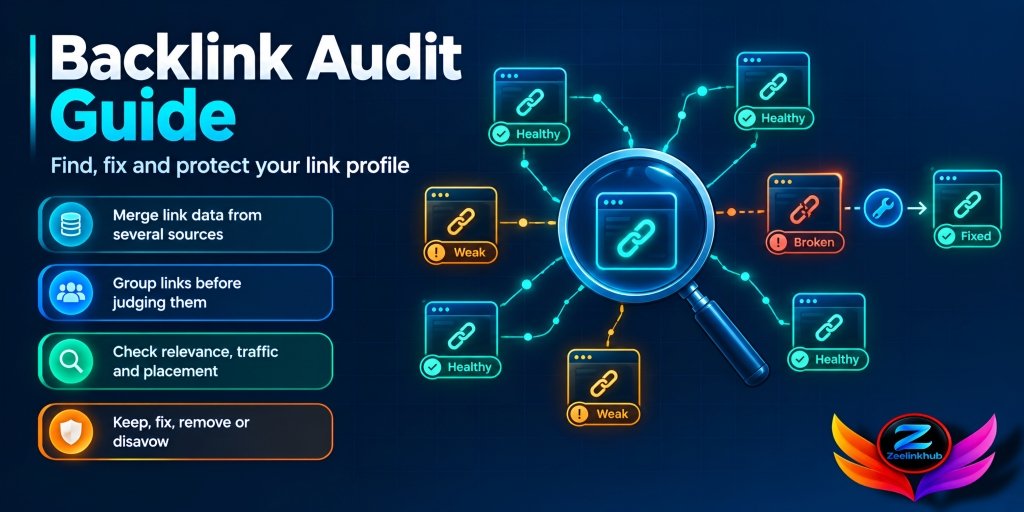
Open the backlink report of almost any site that’s been around for a few years and you’ll find the same mess. A handful of great links. A big pile of “who put that there?” links. And a few pages that used to have links and quietly lost them.
Nobody planned it that way. Links pile up over time, from old outreach, from agencies that came and went, from random sites that scraped a blog post. A backlink audit is just the job of looking at that pile properly, once, and deciding what matters.
This backlink audit guide is how I’d run it on a real site. It’s a bit different from the usual “find toxic links and disavow them” advice, because that’s honestly the least useful part.
What you’re really looking for
Most people start an audit because they’re scared. Traffic dropped, someone mentioned “toxic links,” and now they want them gone.
That’s the wrong starting point. A good audit answers a calmer set of questions. Which links are actually holding up your rankings? Which pages get all the attention and which get none? Is your anchor text starting to look pushy? Did any good links break? And how do you stack up against the sites outranking you?
Bad links are one small slice of that. If your audit ends with a disavow file and nothing else, you probably missed most of the value.
When an audit makes sense
Before you start building links. You can’t plan anything if you don’t know what’s already there.
After a migration or redesign, because that’s when links die. Also when you inherit a site from another owner or agency, since you have no idea what they did. And when rankings slip and you’ve already ruled out content and technical causes.
Beyond that? A quick look every three months is plenty for most sites. A proper audit once or twice a year.
Get your data in one place
Here’s something people get wrong right away. They open one tool, export one list, and call it the full picture.
No tool sees every link. Google Search Console shows what Google knows about, and it’s the one source you can really trust, but for bigger sites it only gives you a sample. Ahrefs and Semrush crawl on their own and often find links Search Console misses. They also miss stuff of their own.
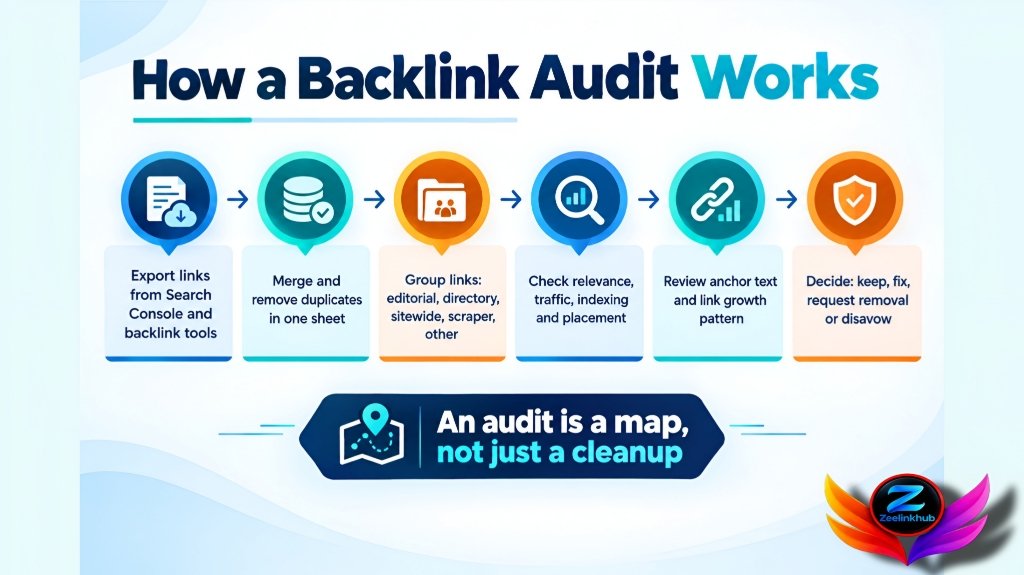
So export from all of them. Merge into one sheet. Delete the duplicates. It takes maybe ten minutes and it’s the best investment in the whole process.
For each link, keep the linking page, the page it points to, the anchor text, dofollow or nofollow, when it first showed up, and a rough idea of the site’s authority and traffic. That’s enough.
Sort before you judge
Don’t scroll row by row. You’ll go cross-eyed by row 200.
Group the links first. Real editorial links from articles in one pile. Directories and profile links in another. Sitewide footer and sidebar links in a third. Scraper junk and obvious link networks in a fourth. Forum and comment stuff goes in whatever’s left.
Now look at the sizes of the piles. A healthy profile has a solid editorial group and a small tail of random leftovers. If nearly everything you have is directories and profiles, that’s not dangerous, but it is thin. Google doesn’t have much reason to trust you.
Judging individual links
Domain rating is a quick filter. It’s not a verdict. I’ve seen low-rated sites in tiny niches that were exactly the kind of place you want a link from, and high-rated sites that turned out to be empty shells.
So open the page. Really open it. Then ask a few things.
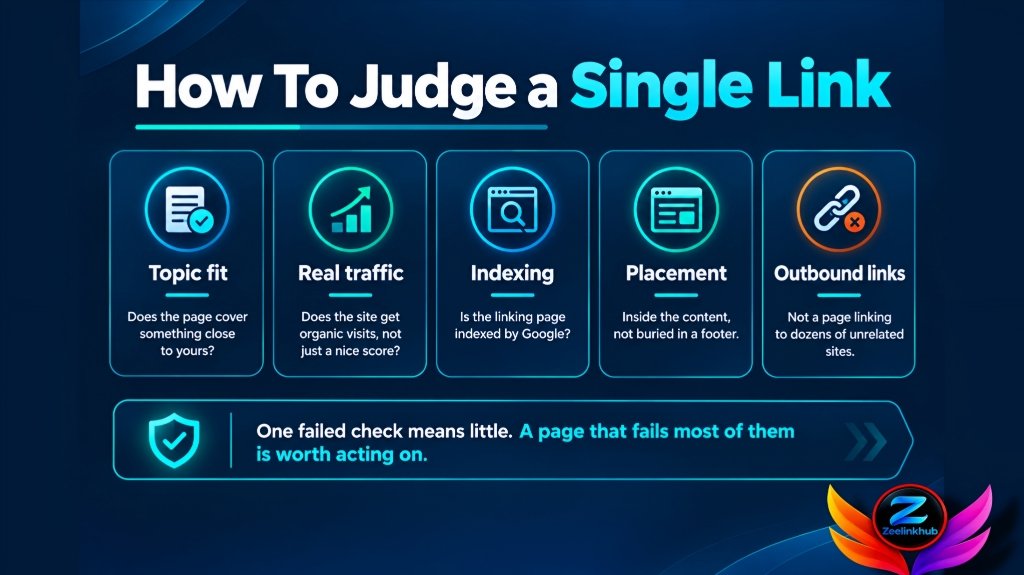
Is the topic close to yours? A cooking blog linking to a SaaS billing tool just looks odd. Does the site get any organic traffic, or only a nice number from a tool? Is the page indexed? A link on a page Google ignores does nothing for you. Is your link in the actual content, or buried in a footer next to forty others? And does the page link out to dozens of unrelated sites? If yes, it’s a link farm no matter how it’s dressed up.
One failed check doesn’t mean much. A page that fails most of them is worth acting on.
Anchor text and growth patterns
Pull up the anchor text report and just look at it for a minute. In a natural profile, most anchors are brand names, bare URLs and things like “this article” or “click here.” Keyword anchors exist, but they’re a smaller share.
If one money phrase makes up a big chunk of everything, that’s the thing to fix. Our guide on anchor text distribution goes into what a balanced mix looks like and how to correct it without throwing away good links.
Then check timing. Chart new referring domains by month. Steady, slow growth is normal. A spike of several hundred links in one week from unrelated sites? Look closer. It could be a campaign someone forgot to tell you about. It could be a viral post. Or it could be somebody else’s spam run pointed at your domain.
Last thing here: which pages receive the links? When everything points at the homepage, your inner pages are getting no help. When one old blog post holds most of your link value, you’d better not break that URL.
The broken and lost links nobody checks
This is the part most audits skip, and it’s where the quick wins are hiding.
Filter for backlinks that point to a 404 on your own site. Filter for links lost recently. The Each one is a link that used to work for you and doesn’t anymore.
Fixing them is usually a 301 redirect to the closest relevant page, or a short, polite note to the site owner. We wrote a full walkthrough on link reclamation, so just build the list during your audit and handle the recovery work after.
Compare yourself to the sites above you
A link profile only means something next to competitors. Pull the referring domains of two or three sites ranking above you. What do they have that you don’t?
That’s basically a link gap analysis, and it’s what turns an audit from a look backward into a plan for what to build next. If the gap is huge, take a look at how many backlinks you need to rank for your actual keywords before you chase some generic number.
Deciding what to do
Every link ends up in one of four places.
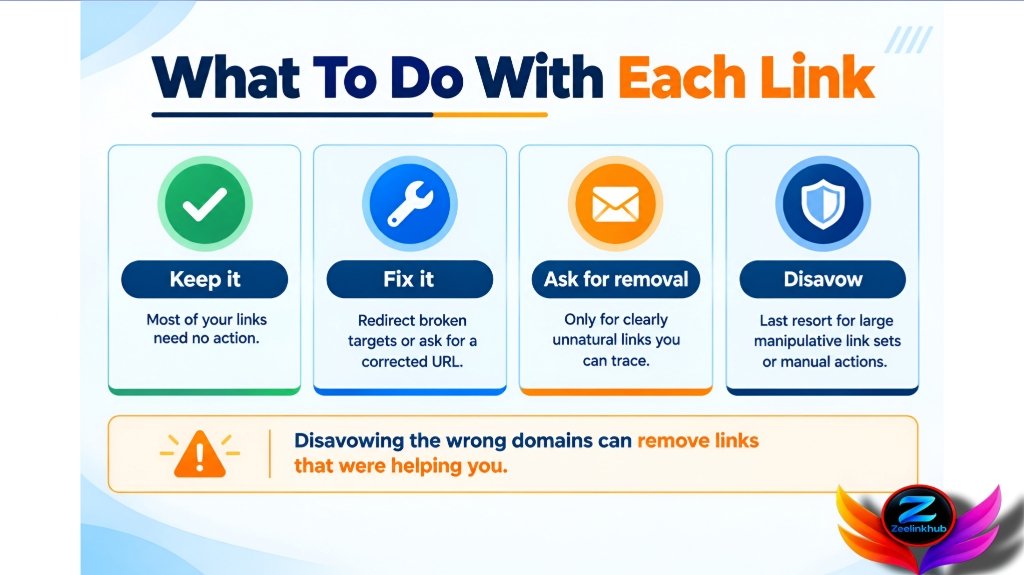
Most of them go in “keep.” You do nothing, and that’s fine.
Some need fixing. A broken target gets a redirect. A link that points to the wrong page can be corrected if you ask the editor nicely.
A few are clearly unnatural, and you know who put them there. Ask for removal, politely, and keep a record of what you sent.
And then there’s disavow. It’s the last resort, not the default. Google has said for years that it’s pretty good at ignoring junk links by itself. Disavowing is really meant for sites with a large number of manipulative links or a manual action. If you’ve got a few spammy links on an otherwise normal site, leave them. Disavow the wrong domains and you can strip out links that were quietly helping you.
If you do need a file, keep it small, use domain-level entries for obvious networks, and save a dated copy.
Red flags worth a second look
These alone prove nothing. Together they tell you where to start digging.
Lots of links from sites in unrelated languages. Dozens of links with the exact same commercial anchor. One domain sending thousands of sitewide links. Pages that look auto-generated with no author anywhere. And sudden drops in referring domains after a site you relied on changed hands.
Finance and SaaS sites
Finance is a trust game. A single link from a respected industry publication usually beats dozens of generic ones, so I’d weigh relevance and site quality more heavily here than raw metrics. Ask yourself whether the link looks reputable to a real reader, not just to a tool.
SaaS sites have a different habit. They pick up links from integrations, partner pages, review sites and old product names. Then a rebrand or a pricing change happens and half those pages stop existing. For SaaS, the most valuable output of an audit is often a list of orphaned partner and integration links you can recover with a few redirects.
Mistakes that waste your time
Trusting one “toxicity score.” Those scores are pattern guesses and they flag plenty of harmless links. Use them to decide what to look at first, never what to delete.
Disavowing too much, too fast.
Doing the audit once, saving the sheet and never opening it again. Link profiles change every month, so a short regular check catches things while they’re small.
And ignoring the good links. A proper audit should also tell you which pages and sites are working, so you can go get more of the same.
Final thoughts
An audit isn’t a witch hunt. You’re trying to understand what your link profile really is, protect what’s working, repair what’s broken and decide where to spend effort next. Merge your data, group the links, check what matters, and only act when the evidence is clear.
If you’re curious how links play into visibility in AI answers, do backlinks matter for AI search covers where things stand right now.



Leave a Reply